
Reports
PDF, CSV and in the browser3CX reporting with scheduled PDF and CSV reports, detailed searches in the browser, and the full call flow of every call that went through your 3CX.
14 days free · full access · no credit card
The problem
Built-in 3CX reporting follows rules that do not always match how a business thinks. A call redirected to another queue can count as abandoned. An agent can get credit for a call they never touched.
Why teams love it
JEDWare works from the raw 3CX call data, read-only through the 3CX API, and never modifies anything in your 3CX database.
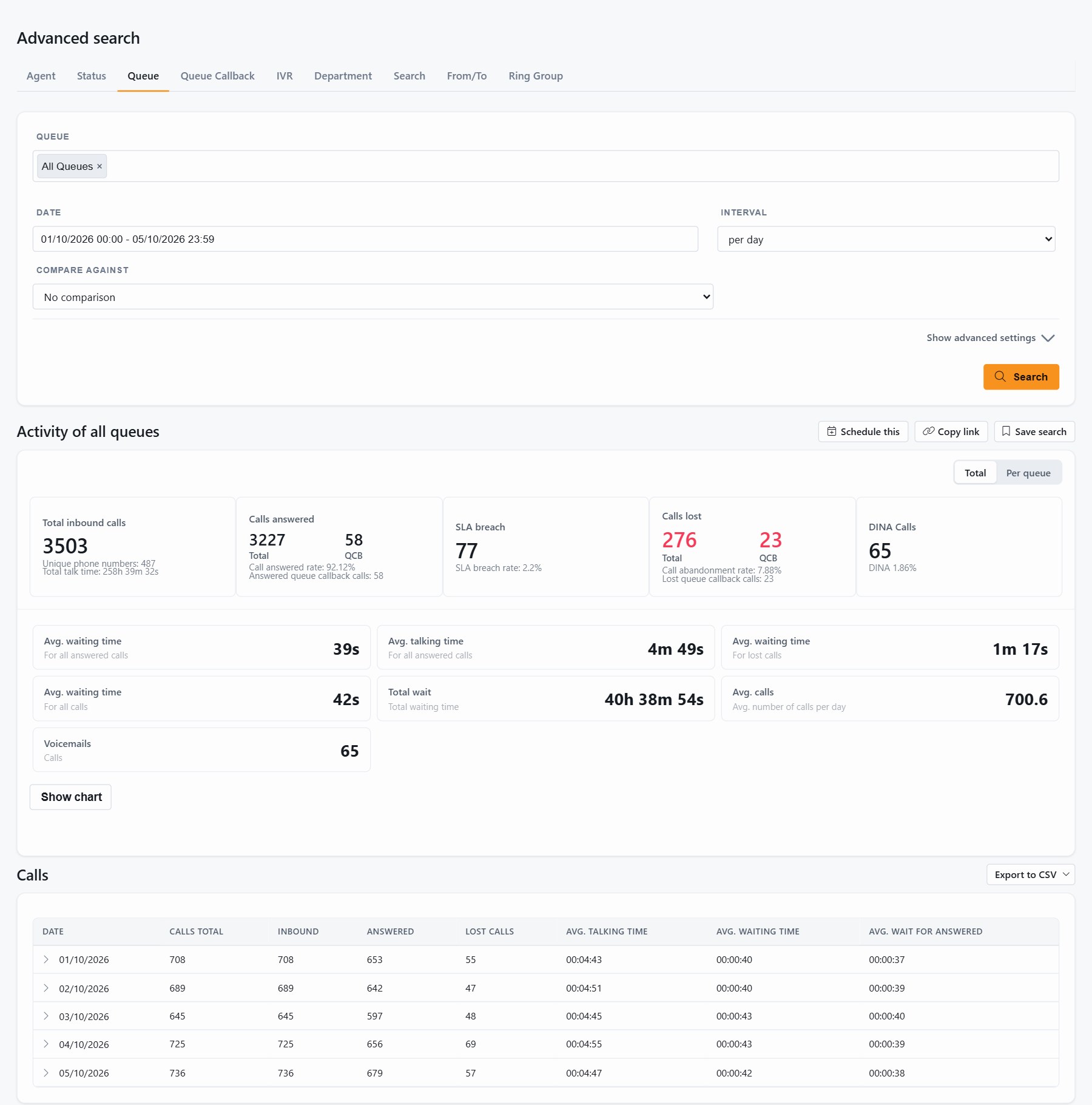
Click any call and the call flow opens: which IVR the caller went through, which queues they waited in and for how long, where it was first answered, who transferred it, and how it ended.
Free-text search across callers, destinations and names for the period you choose. The report shows every attempt and what actually happened to each one.
PDF by email, CSV to a file share or by email, daily, weekly or monthly at the time you pick. Run Now generates the report on the spot.
Options like Agent-Specific Data make sure performance numbers reflect actual participation. When a staffing decision depends on a report, that difference matters.
What's inside
The Daily overview for any single day, Advanced search for the deeper questions, and scheduled tasks for the numbers that should arrive on their own.
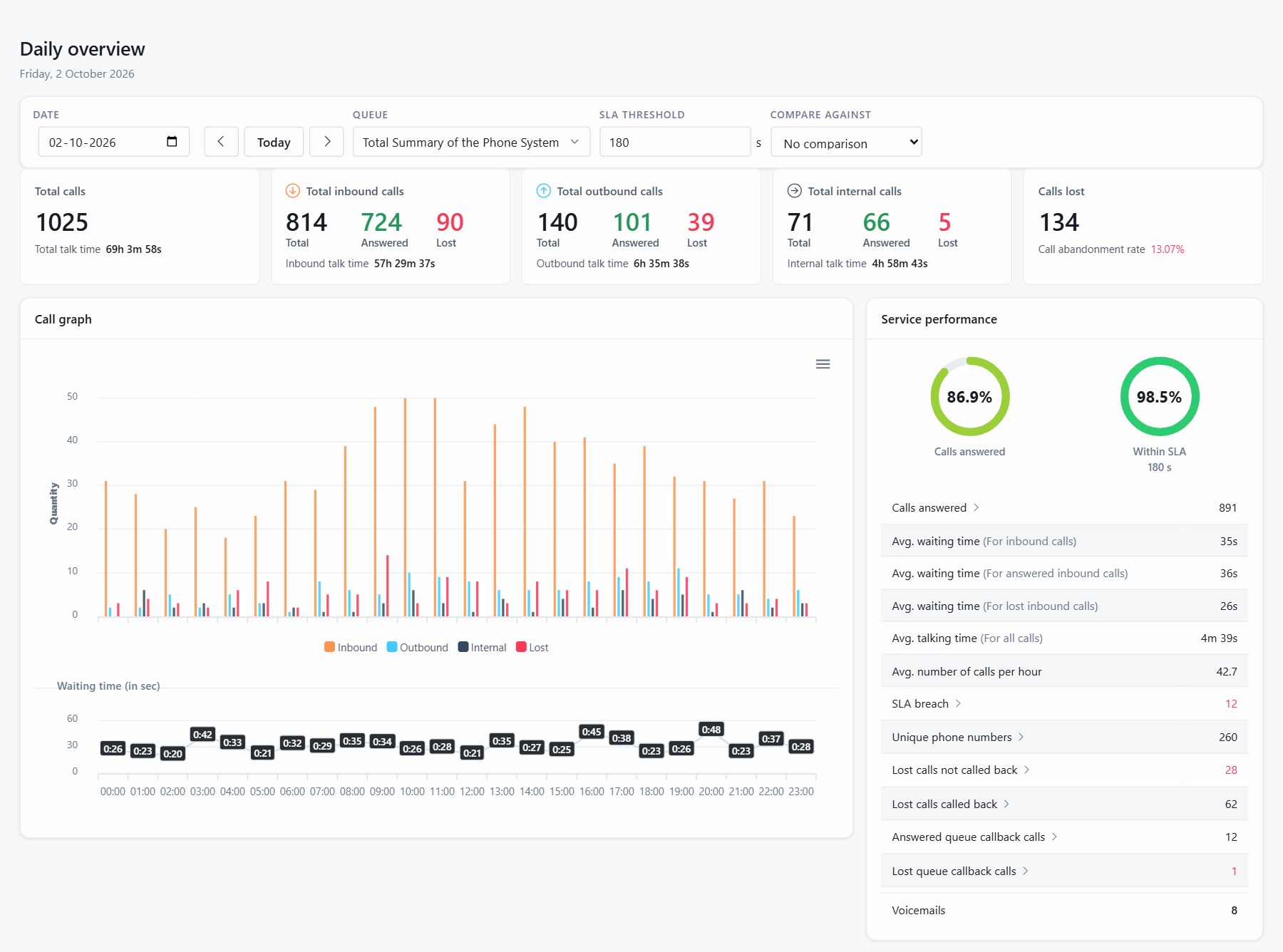
Totals for any day: inbound, outbound, internal and lost, service performance and the call graph hour by hour.
Agent, agent status, queue, queue callback, IVR, department, free search, from/to and ring group. Intervals from five minutes to a day, weekday filters, SLA seconds and exclusions.
Agents, agent status, queues, queue availability, ring groups, trunks, all calls and company totals, each as PDF or CSV.
The time the caller actually spent in your system, from the first ring to the end, separate from the talk time your agent logged.
Seconds spent in Available, Break, DND and your own custom statuses, and how long each agent was signed into each queue.
The CSV files drop straight into a spreadsheet or a BI tool. The Statistics API covers the rest.
Daily overview
One page that sums up any day of your choice: how many calls, how many were lost, how long people waited, and every call behind the numbers.
Scheduled tasks
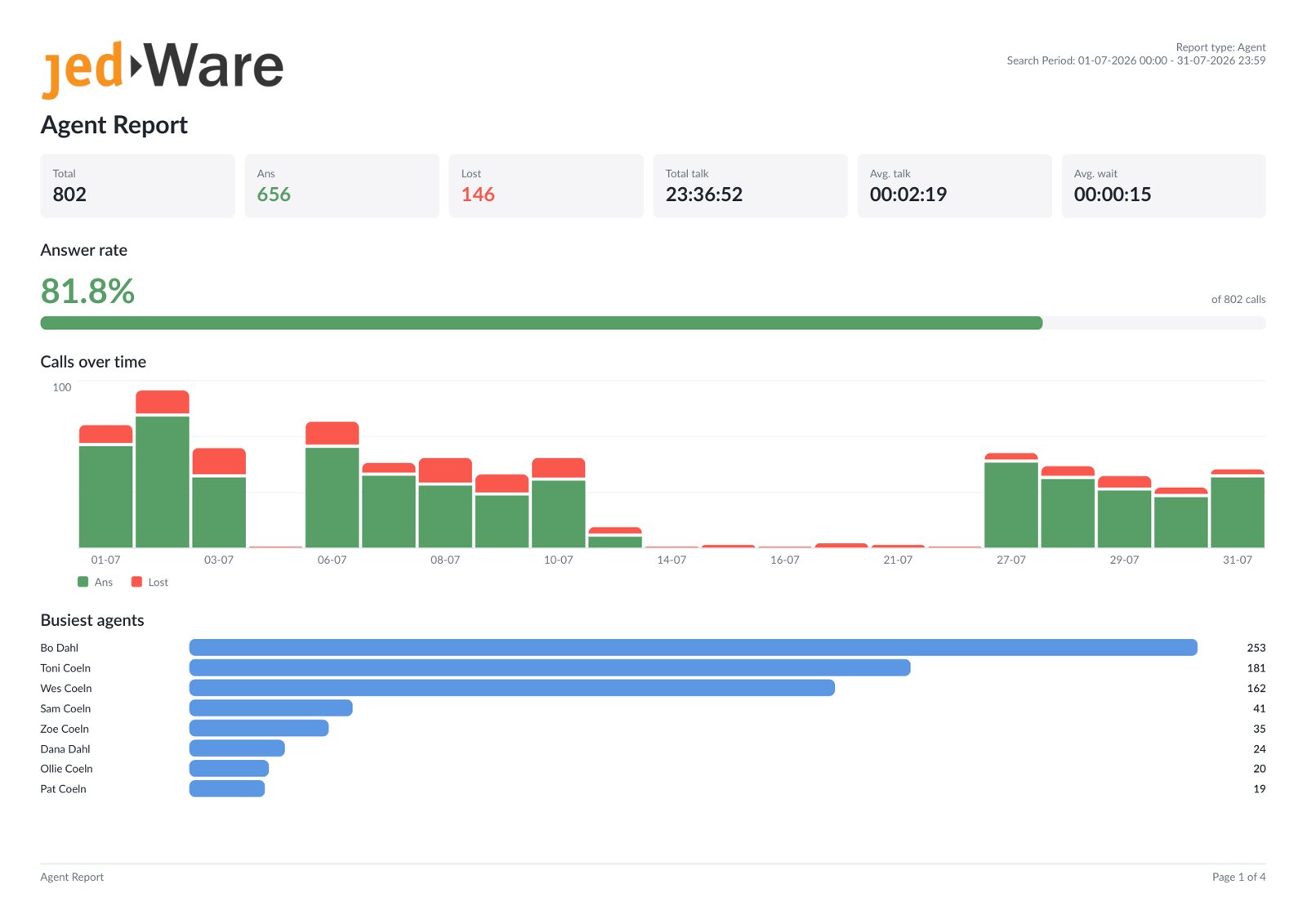
Decide once what you want to know and when. This is the PDF that lands in the inbox every morning: answer rate, calls over time and the busiest agents for the period, per agent.
Pricing
All report types includedDaily overview, advanced search, call flow and every scheduled template are part of the licence. Full access for 14 days, no credit card.
Requires 3CX v20 Update 6 or later, Linux or Windows.
JEDWare 3CX reports are built from the raw 3CX call data, read through the 3CX API and never written back. That gives you statistics per agent, queue, IVR, ring group and department, and the complete call flow of every single call: the IVR the caller went through, the queues they waited in, who answered and who transferred.
The Daily overview sums up any day on one page. Advanced search has nine report tabs with intervals down to five minutes.
Scheduled tasks deliver more than 15 report templates as PDF by email or CSV to a file share, daily, weekly or monthly, owned per department. The CSV files are made for Excel and Power BI, and the Statistics API returns the same numbers for anything else.
The 3CX reporting tools are part of JEDWare, together with live wallboards, a personal dashboard for every user and Queue Chat statistics. See pricing for what is included.
Questions we get
The complete call flow of every call, statistics per agent, queue, IVR, ring group and department, nine advanced search tabs with intervals down to five minutes, and scheduled PDF and CSV delivery. The data is read through the 3CX API and never written back.
Yes. More than 15 report templates can be scheduled as PDF by email or CSV to a folder or by email, daily, weekly or monthly. Each scheduled report is owned per department, so managers manage their own.
Yes. Click any call in a report and the call flow opens: the IVR the caller went through, the queues they waited in and for how long, who answered, who transferred, and how the call ended.
Yes. The scheduled CSV files are made for Excel and Power BI, and the Statistics API returns the same numbers as JSON for anything else.
3CX v20 Update 6 or later, on Linux or Windows. The JEDWare integration runs on the 3CX server and reads the call data through the 3CX API.
Ready when you are
Free for 14 days with your own 3CX data. Full access, no credit card.