
Wallboards
Every layout includedA JEDWare 3CX wallboard tracks your queues and agents in real time, in eleven layouts. Put any board on a TV or info screen with a link that needs no login, and see waiting callers the moment they arrive.
14 days free · full access · no credit card
The problem
3CX knows how many people are waiting and who is available. That knowledge sits in the Admin Console and in reports that arrive after the fact, not in the room where the team works.
Why teams love it
The board tracks every agent from ringing to disconnected phone, and every queue from the first waiting caller.
Wallboard data appears the moment a call enters the queue, not after it ends. When the board says three callers are waiting, three callers are waiting right now.
Every wallboard has a share link that requires no login, and the session never expires unless you want it to. Open it on a TV, the information screen in the canteen, or in any browser.
Thresholds change colour when a queue slips, a close-to-breach warning gives the team time to react, and alert sounds call attention when nobody is looking at the screen.
Daily, weekly or monthly reset schedules make sure the morning shift never stares at yesterdays numbers.
What's inside
We built our first 3CX wallboard in 2017 for a single customer request. Today there are eleven layouts, because a support team of three needs different numbers than an inbound call center of forty. Every layout has a light and a dark theme.
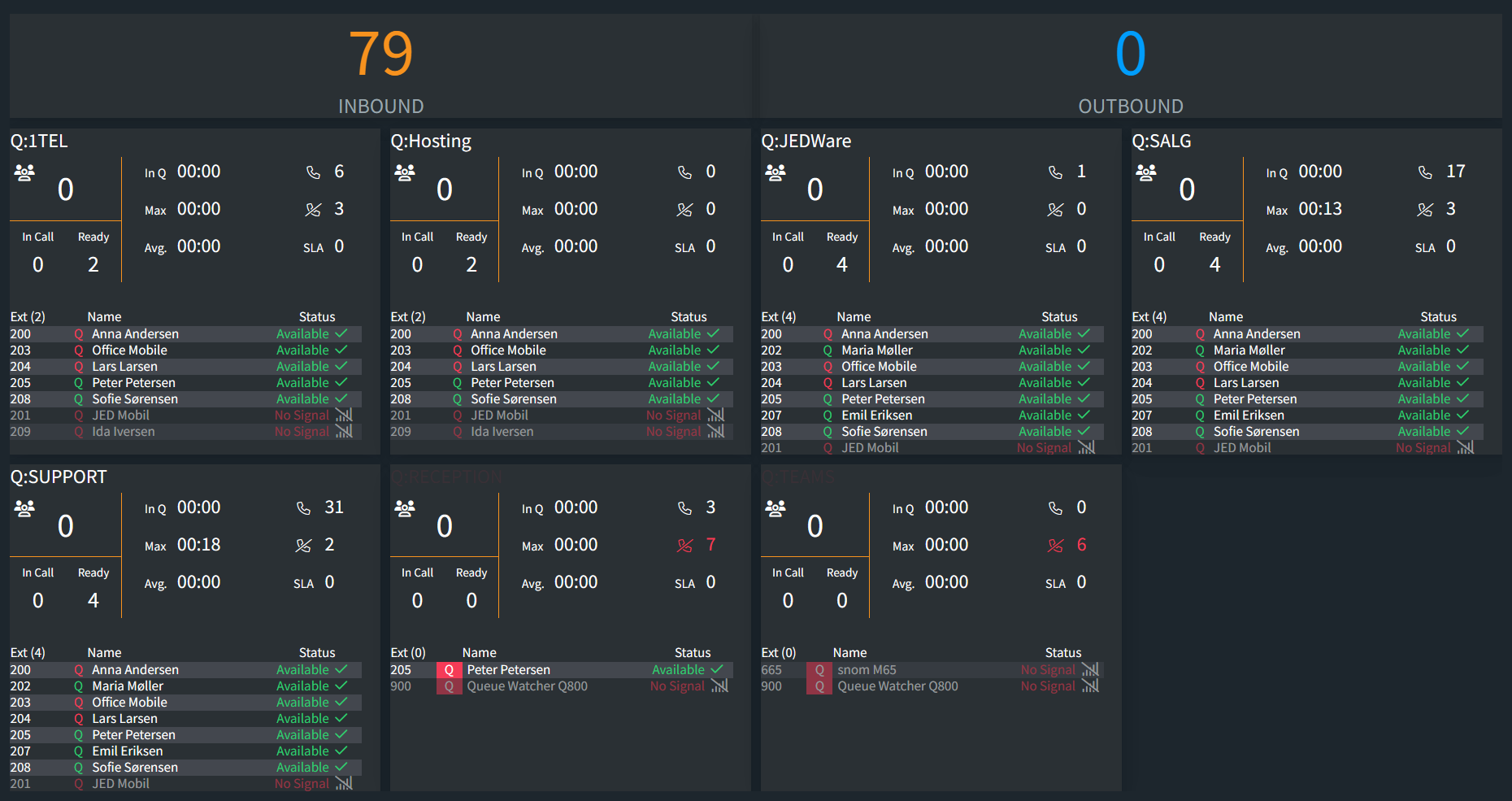
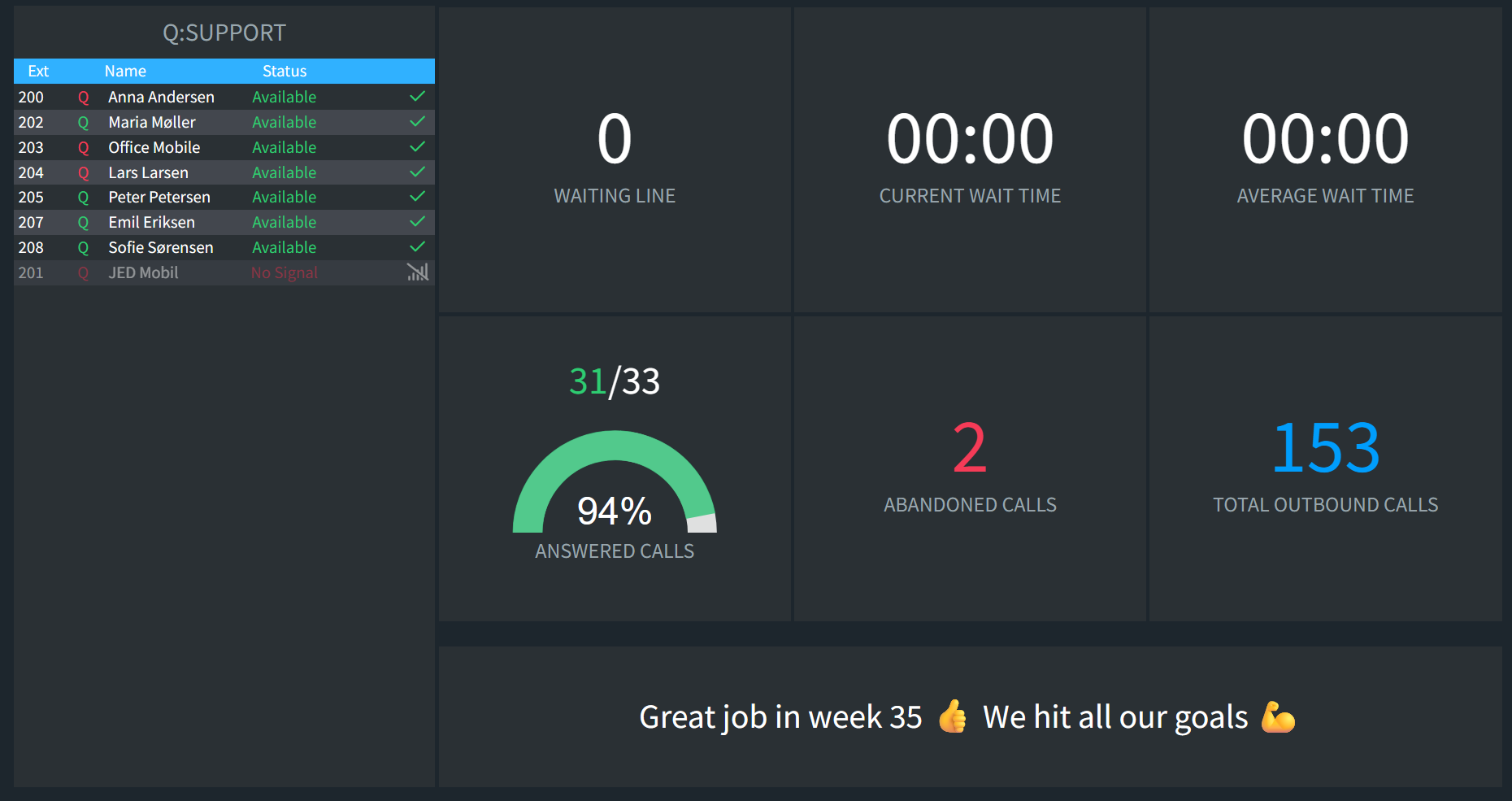
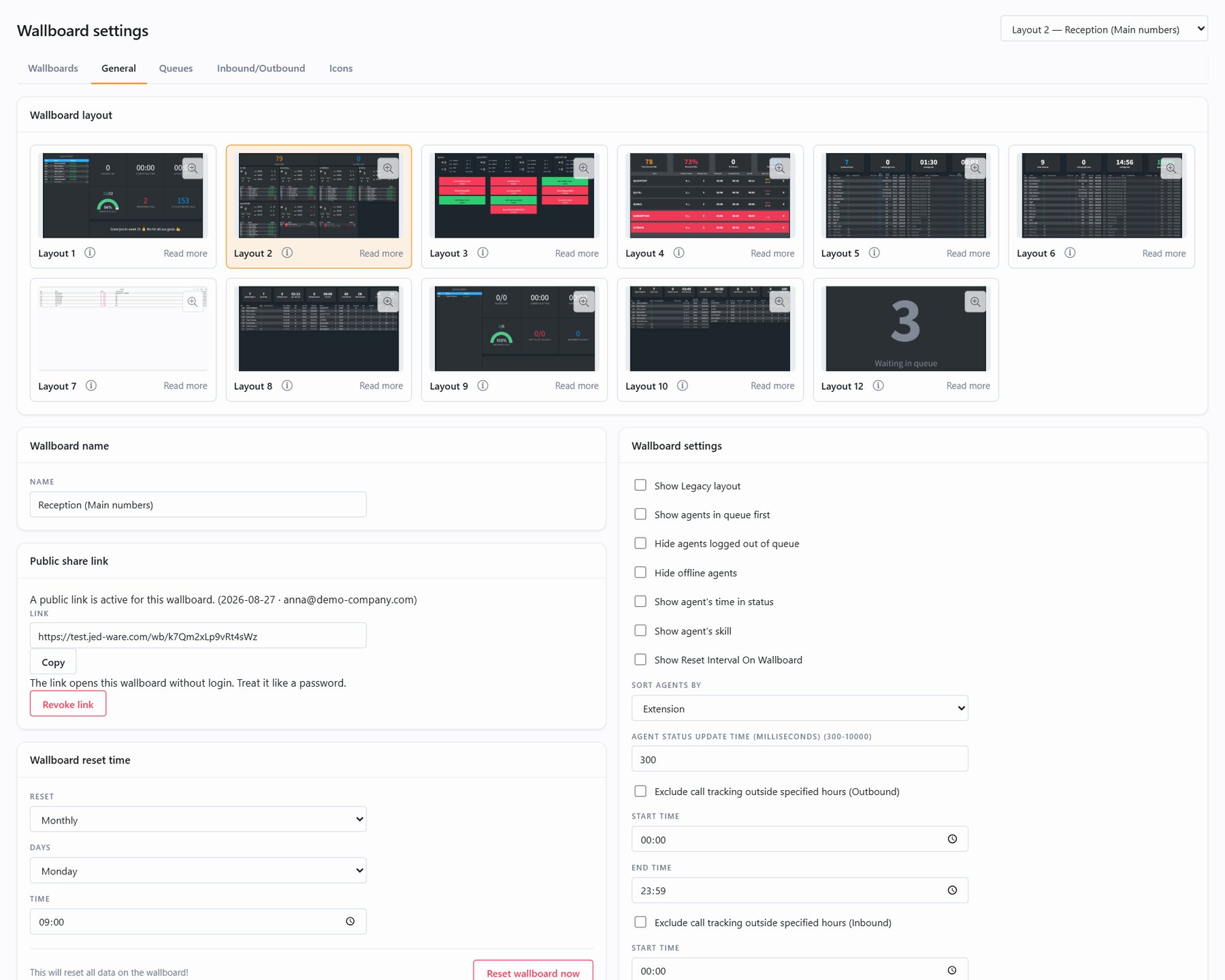
Layout 1 highlights one queue's numbers, with every agent listed and room for a custom message on the board.
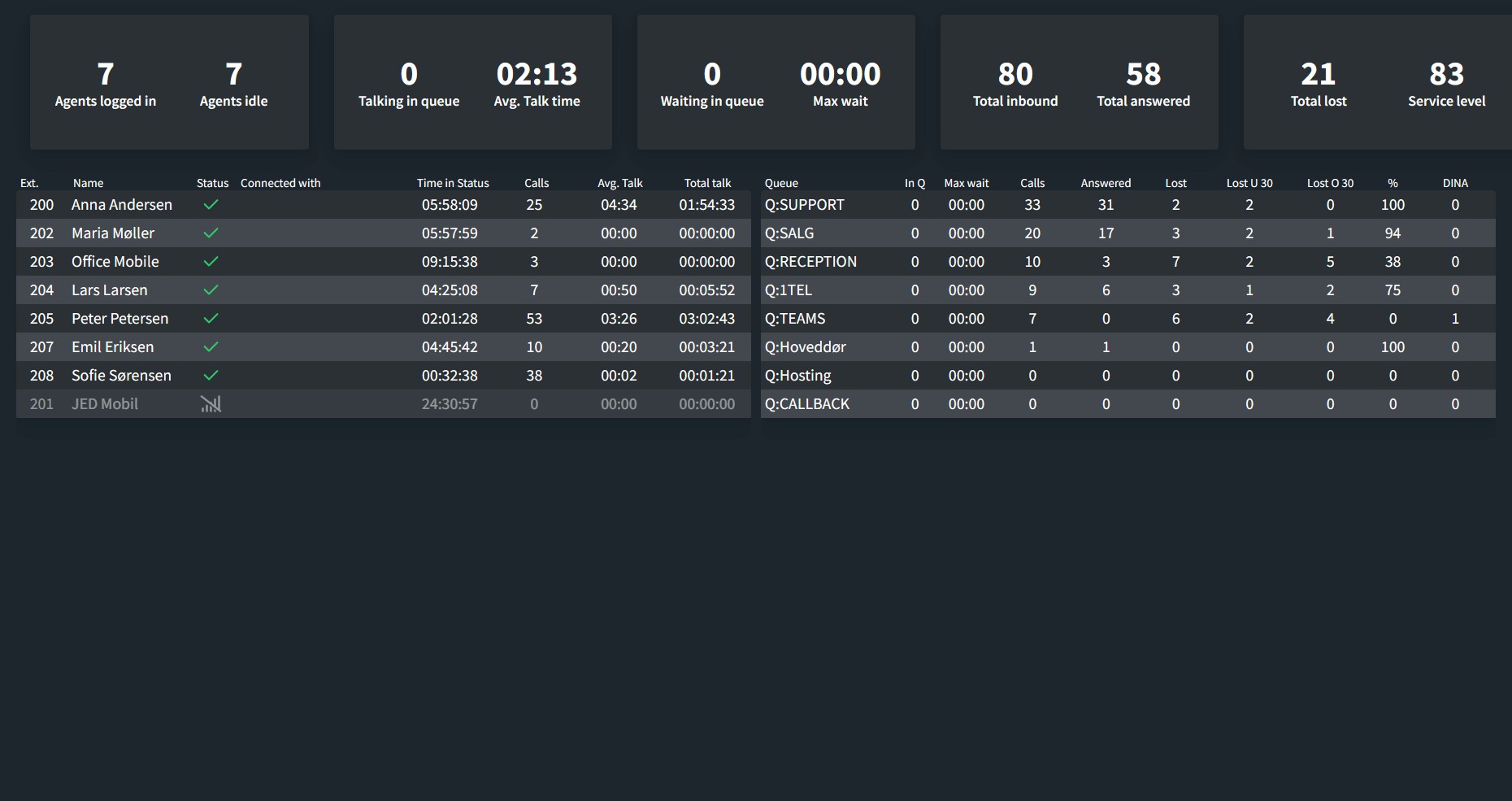
Up to eight queues in one window with agent status per queue, current and longest waiting time, SLA and totals.
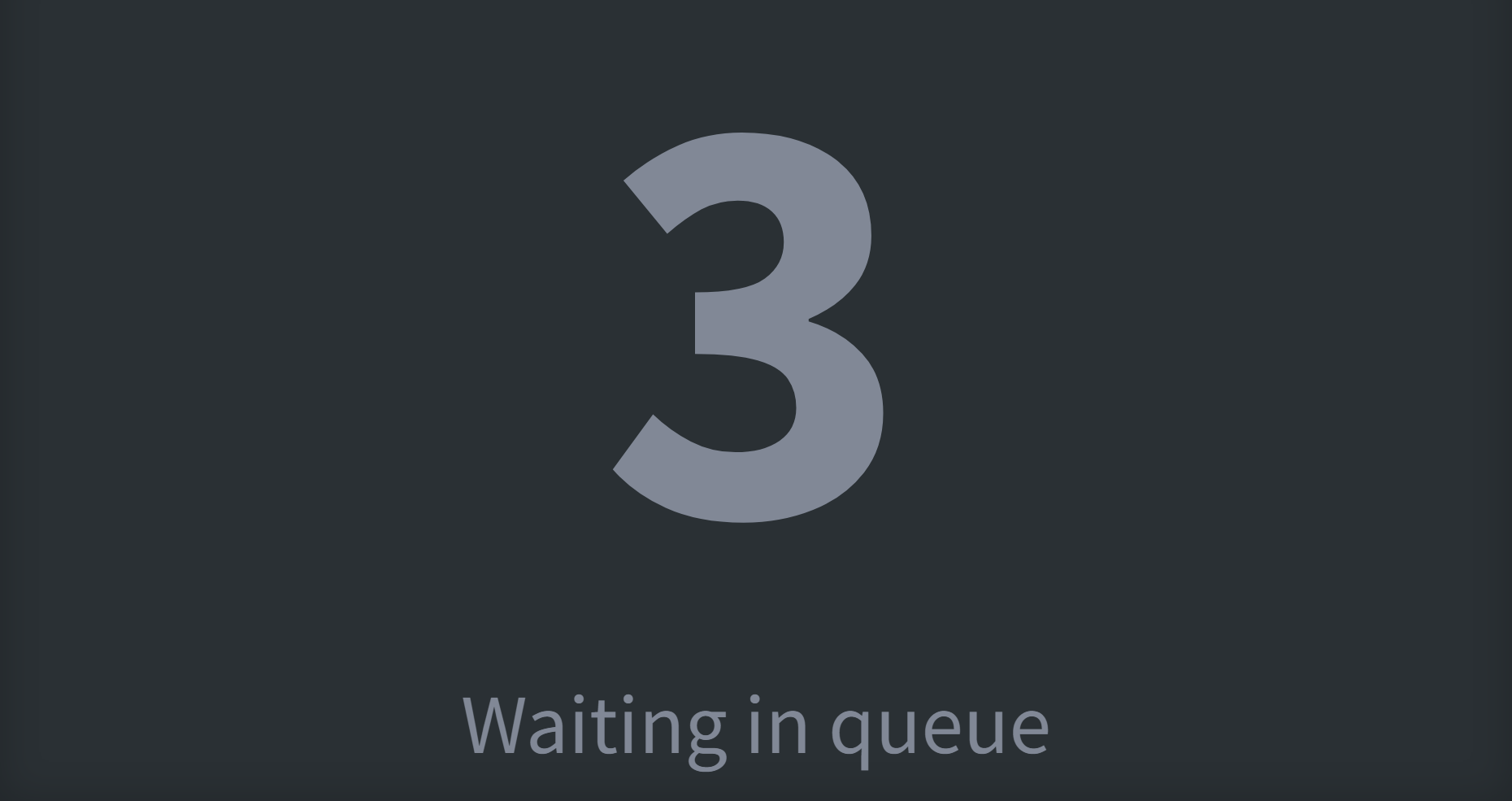
Boards for outbound teams, inbound call centers, callback tracking, a traditional wallboard with an email function, and a waiting-calls view for the wall.
Each agent carries a queue icon with their sign-in status. If a queue runs empty, the board shows an alert before callers start hanging up.
Renamed the two custom statuses in 3CX? Rename them on the wallboard too, and pick matching icons.
Hide dummy extensions and equipment from a board, and sort agents the way the room expects to read them.
Settings
Create as many wallboards as you like. Each one has a settings page where everything lives, so the person who is logged in never needs the 3CX Admin Console.
Pricing
Every layout includedEvery layout is included in the price. Unsure which one fits? Create one of each and try them on the wall. Full access for 14 days, no credit card.
Requires 3CX v20 Update 6 or later, Linux or Windows.
A JEDWare 3CX wallboard shows the state of your queues as it is right now: how many callers are waiting, for how long, which agents are signed in to which queue, and whether the service level is holding. The data comes from our integration on your 3CX server, so the board updates the moment a call enters a queue.
There are eleven 3CX wallboard layouts: single-queue boards in big tiles for a small support team, multi-queue overviews with up to eight queues for an inbound call center, and dedicated boards for outbound teams, callbacks and waiting calls.
Every board has a share link made for TVs and info displays. There is no login and no session that expires, and the link can be revoked from the settings when the wallboard is retired. Per-queue SLA thresholds, a close-to-breach warning, alert sounds and reset schedules are set on the same page.
Wallboards are part of JEDWare, which also gives you reports with the full call flow, a personal dashboard for everyone who logs in, scheduled CSV and PDF deliveries and a statistics API. See pricing for what is included, or read the 3CX wallboard guides in the knowledge base.
Questions we get
Yes. The 3CX web client includes a queue wallboard that shows waiting, answered and abandoned calls per queue, and it runs inside the web client. A JEDWare 3CX wallboard adds eleven layouts, live agent status per queue, SLA thresholds with alerts, your own status names, and a share link for TVs and info screens that needs no login.
Callers waiting right now, the current and longest waiting time, answered and lost calls, the service level, and every agent's sign-in status per queue. Layouts 9 and 10 add queue callbacks. The data comes from the JEDWare integration on your 3CX server, so the board updates the moment a call enters a queue.
Yes. Every JEDWare wallboard has a share link made for TVs and info displays. There is no login and no session that expires, and you can revoke the link in the wallboard settings when the board is retired.
3CX v20 Update 6 or later with a Pro or Enterprise license, on Debian or Windows. The JEDWare integration is installed on the 3CX server. The requirements are listed in the knowledge base.
As many as you like. All eleven layouts are included in the JEDWare license, and every wallboard has its own settings, share link and reset schedule.
Ready when you are
Free for 14 days with your own 3CX data. Full access, no credit card.