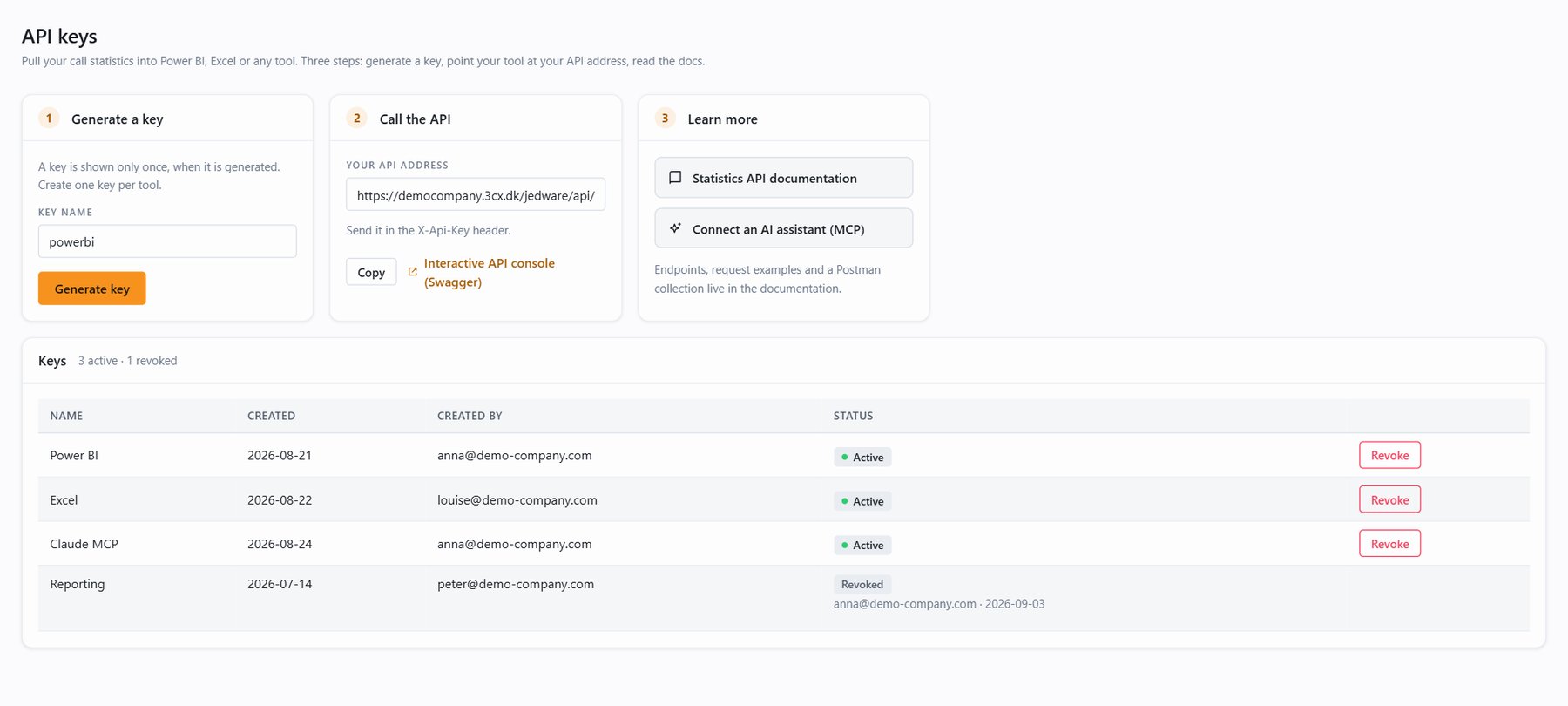
Access to the Statistics API is controlled with API keys that your JEDWare administrator manages in the app. Every request needs a key, sent as a request header:
X-Api-Key: jed_xxxxxxxxxxxxxxxxxxxxxxxxRequests without a valid key receive 401 Unauthorized. A key only works on the phone system it was created for, and the Statistics API accepts API keys only. JEDWare login sessions or other tokens are not accepted on these endpoints.
Create a key
- Log in to the JEDWare app and open API in the left menu.
- Enter a name for the key (for example
powerbiordefault) and click Generate key. - Copy the key from the popup immediately.
The key is shown only once. JEDWare stores it in a hashed form and cannot display it again. If you lose a key, revoke it and generate a new one. Support cannot recover it, by design.
A new key works within seconds of being generated. No restart is needed.
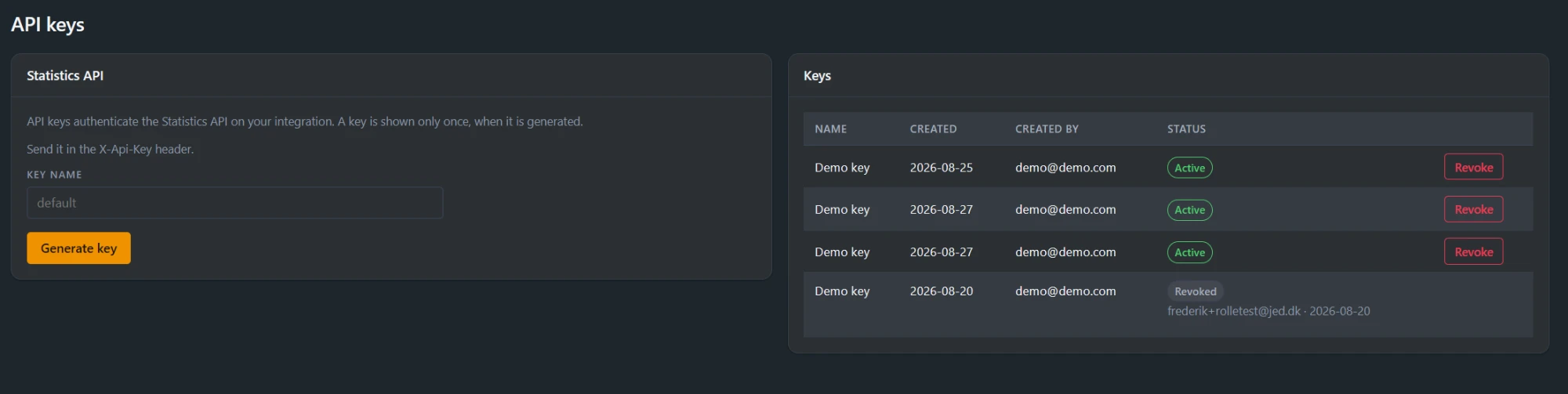
Everyone in your organization can see which keys exist on the API page (the name, who created it, and when) but never the key itself. Only administrators can generate or revoke keys.
Treat a key like a password
Anyone who has it can read your call statistics. Store it in your tool’s credential store, not in shared documents or source code. Create one key per tool or consumer (for example powerbi, warehouse-sync) so you can revoke one integration’s access without touching the others.
Revoke a key
When a key should stop working, because an employee leaves, a tool is retired, or a key may have leaked, an administrator revokes it:
- Open API in the left menu of the JEDWare app.
- Find the key in the list and click Revoke, then confirm.
The key stops working immediately when the app can reach your integration; otherwise within about 10 minutes (the app tells you which of the two applies). The key stays in the list as history, marked Revoked with who revoked it and when, and its name is free to reuse for a replacement key.
Revocation is permanent. A revoked key cannot be re-enabled; generate a new one instead.