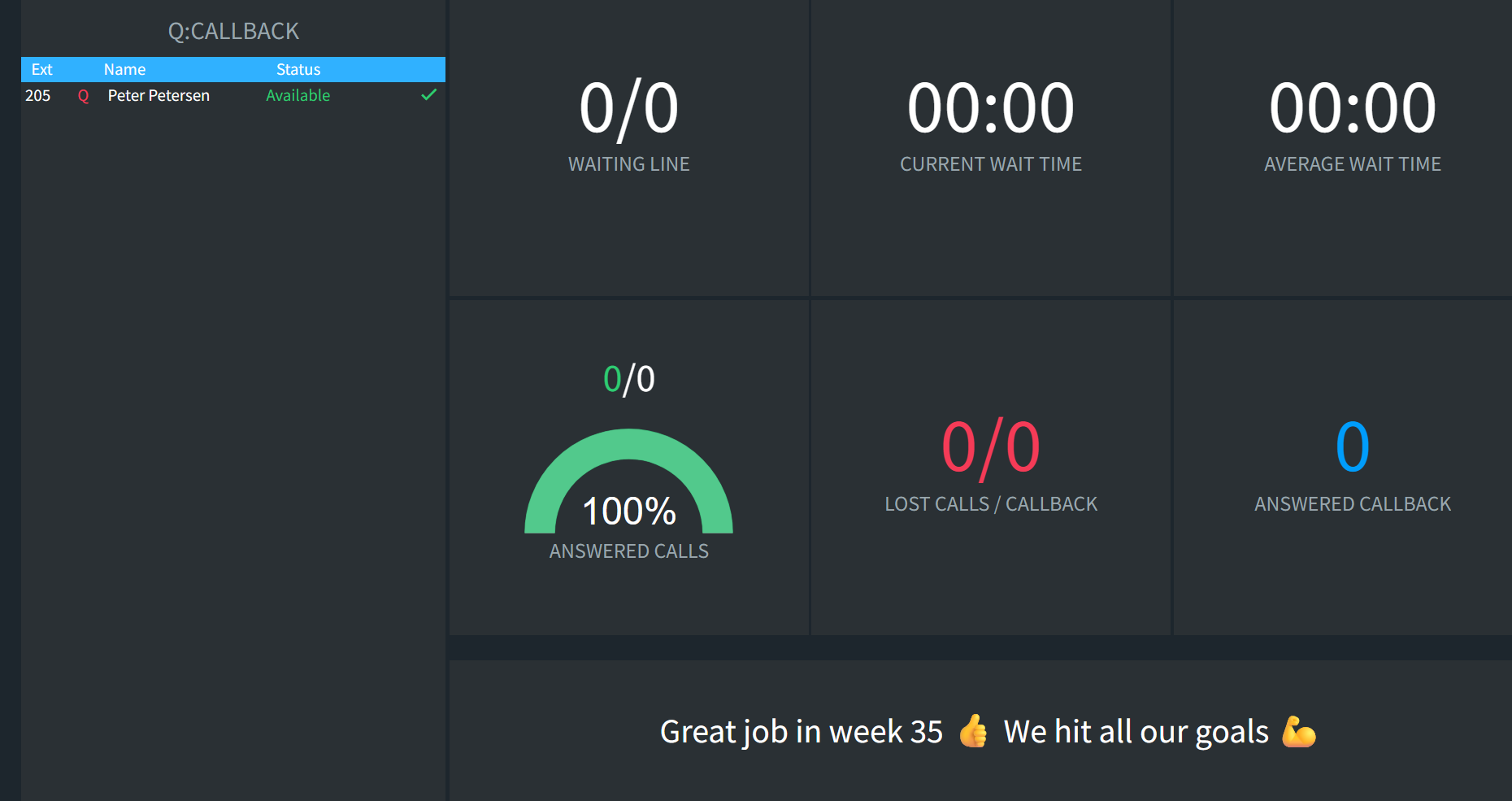
| Agent list | Every queue member’s current extension status and queue status |
| Waiting line | Callers waiting in the queue right now |
| Current wait time | How long the first caller in the queue has been waiting |
| Average wait time | Average wait since the last reset for the queue |
| Answered calls | Answered calls in numbers and percent, with a gauge. Successful Queue CallBacks count as answered, and the matching lost call is removed |
| Lost calls / Callback | Abandoned calls and lost Queue CallBacks since the last reset |
| Answered callback | Queue CallBacks answered by agents |
| Message bar | The text from the wallboard message setting |