
Panels the page can show instead of the tiles
The integration could not be reached. The JEDWare integration on your 3CX server did not answer. Check that the integration service is running (Integration status on the Support page in the left menu shows its state), then Try again.
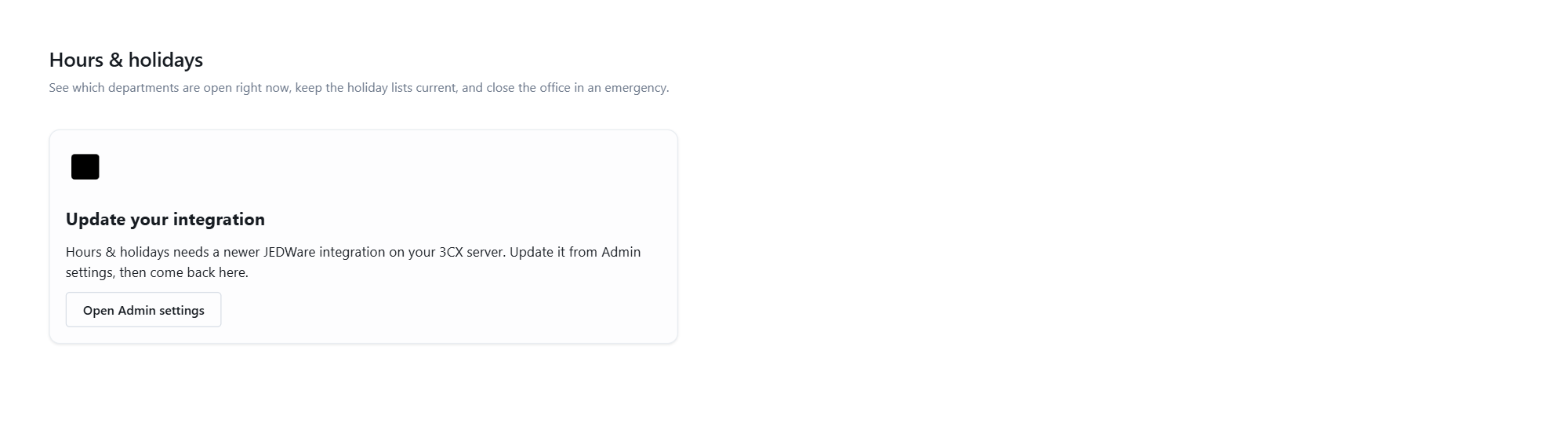
Update your integration. The integration on your 3CX server is older than 26.9.1 and does not have the module. Update it from Admin settings, then come back.
Not available on this phone system. The module needs 3CX V20 or newer with the integration connected. The panel says which of the two is the problem.
Banners above the tiles
The integration is not connected to 3CX right now. The integration service is running but has lost its connection to 3CX. Holidays cannot be read or written until it reconnects.
Read-only demo. You are on the demo site. Nothing is written anywhere.
I cannot see Tools › Hours & holidays in the menu
The entry is shown to users whose account has the module. Ask your partner or JEDWare support to enable it for your login.
A holiday I added is not on a department
Holidays are per list, and every department routes on its own list. Check the row’s Lists column: On 8 of 9 lists means one is missing; hover the chip to see which, and press Add to all. When adding a holiday, keep Every list ticked to reach all of them.
Callers get the holiday prompt on a normal day
- Look at the department’s tile. Forced Holiday until cleared or Forced Closed until cleared is the usual cause: a Close now without an end time. Press Back to schedule.
- A one-off holiday from a previous year with the wrong date, or an every-year holiday that should have been one-off (a “summer holiday 2023” entered as every year). Edit the row.
- A holiday with a date range that runs into today. Check the When column.
- Today is in fact a holiday on that department’s list. The tile says Today: ….
Callers get through on a holiday
- The department’s list lacks the holiday. See “A holiday I added is not on a department”.
- The holiday has times (12:00 to 23:59, say) and it is still morning.
- The department is forced Open by an override. The tile says so; press Back to schedule.
- The holiday was added after the call came in. Changes apply from the next call.
The tile says Unknown
3CX could not evaluate the department’s schedule. Open the department in the 3CX Admin Console and check its office hours. The holiday list still works.
Add a year shows the wrong days for my country
The calendars are the statutory public holidays plus the common optional days, so that you can untick. Regional days (a Bavarian holiday, a Scottish bank holiday outside the Scotland calendar) may be missing or extra. Untick what does not apply, or import a calendar file with the exact set.
My country is not in the list
Use Import .ics with an export of any public-holiday calendar. Google Calendar has one per country; so do most governments. Or add the days by hand with Add holiday and Every year.
Import .ics skipped events
Repeating events (yearly rules) are not imported; the dialog says how many. Add those once as every-year holidays by hand. Files over 4 MB are refused: export one year at a time. That is not an iCalendar file means the file does not start with BEGIN:VCALENDAR; export it again as .ics, not .csv or .pdf.
Add a year ticked nothing, or everything is greyed
Every row says Already there as …: the lists already have a holiday on every one of those dates, so there is nothing to add. That is the expected picture the second time you run it for the same year.
Dates are off by one
3CX works in the phone system’s local time. A calendar exported in UTC can shift whole-day events across midnight; export it in the company’s time zone. Dates in the table are the phone system’s dates.
Warning about a prompt
Warning: prompt-missing … after saving means the WAV file is not in the 3CX prompt folder. The holiday is saved anyway; callers hear the department’s default holiday prompt until the file exists. Upload it on the Prompt page in the left menu, or with the Prompts button in Call flow (8 kHz, 16-bit, mono WAV plays best), then edit the holiday and pick it again.
The play button does nothing
The prompt file cannot be streamed from the phone system. The holiday still uses it; only the preview is missing.
Remove stale removed nothing, or the button is missing
Only one-off holidays whose end date is in the past are removed, and the button only appears when there are some. Every-year holidays are kept on purpose. With a department selected in the filter, only that list is cleaned.
Something went wrong (500)
The phone system refused the change. Details are in the integration log on the 3CX server; send them to your partner with the time of the attempt.
Where changes are logged
Every write is recorded in two places: JEDWare’s activity log (Admin settings › Log) with the user’s name, and the integration log on the 3CX server. The 3CX Admin Console shows the resulting lists under each department.