
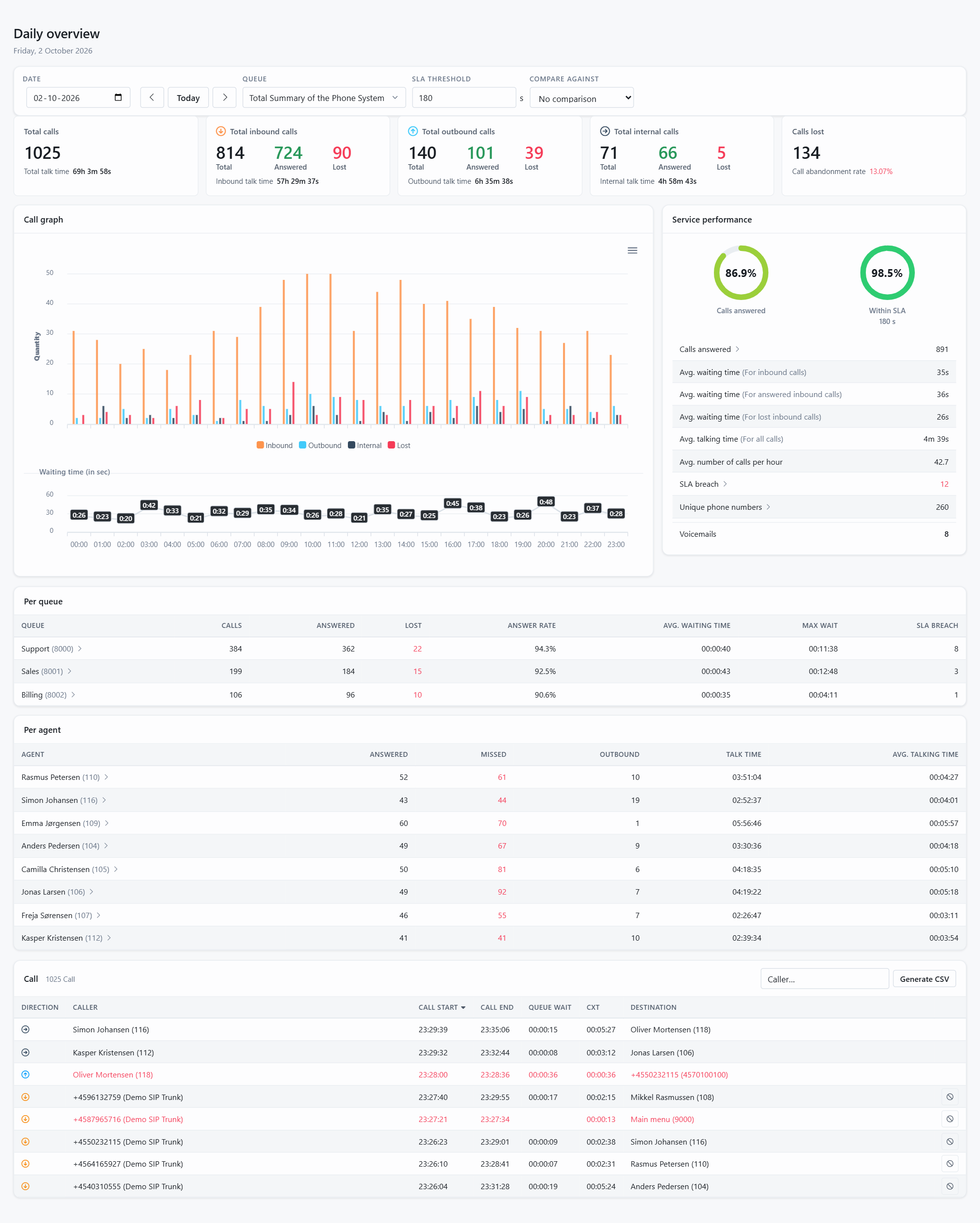
The Daily overview sums up one day of your phone system on a single page. It opens on today and follows the day live; pick any other date at the top, and pick a queue to see only that queue instead of the whole system.
What is on the page
- Totals: total calls, inbound, outbound and internal calls, and calls lost, each with the talk time and the number of lost calls of that type.
- Call graph: calls per hour split into inbound, outbound, internal and lost, and the average waiting time per hour underneath.
- Service performance: the share of calls answered and the share answered within your SLA, plus average waiting time, average talking time, calls per hour, SLA breaches, unique phone numbers, voicemails and barge-ins.
- Call list: every call of the day with direction, caller, start, end, customer experience time and destination. Type in the Caller box to filter, or click Generate CSV to export the list.
The call flow of a single call
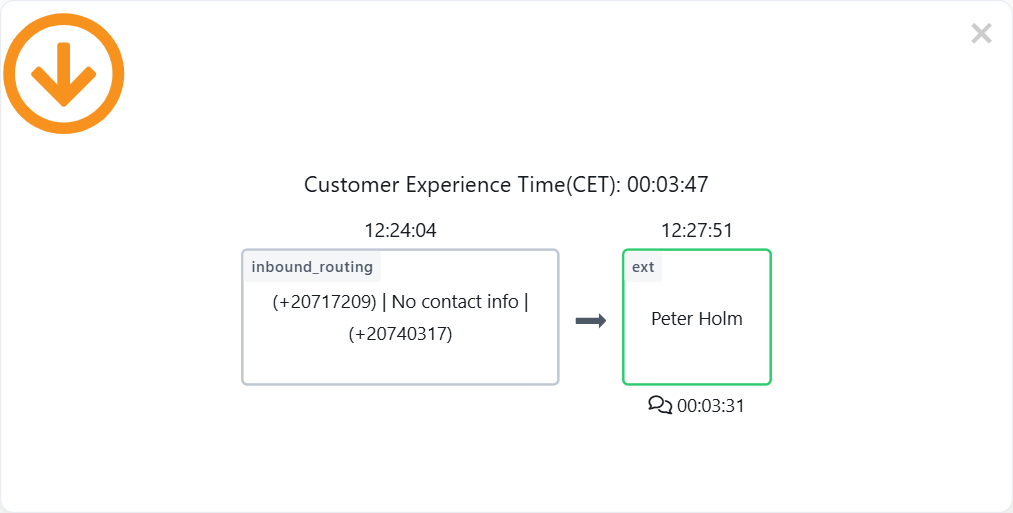
Click any call in the list and its call flow opens: which trunk or extension the call came from, which IVRs and queues it passed, who answered and how long every step took. Customer experience time is the whole time the caller spent in your system, from the first ring to the end.
For more than one day, or for a single agent or queue, use Advanced search.
Not using JEDWare yet? See what 3CX reports from JEDWare look like, then start a free 14-day trial.