
The Call Flow Designer lets you draw how incoming calls travel through your 3CX: which number was called, whether the office is open, which menu the caller hears, and where the call ends up. You build it as boxes and arrows in the JEDWare web app, test it on your own 3CX without touching your live numbers, and publish it when you are happy. No code, no 3CX desktop tools.
You find it under Tools › Call flow in the left menu.
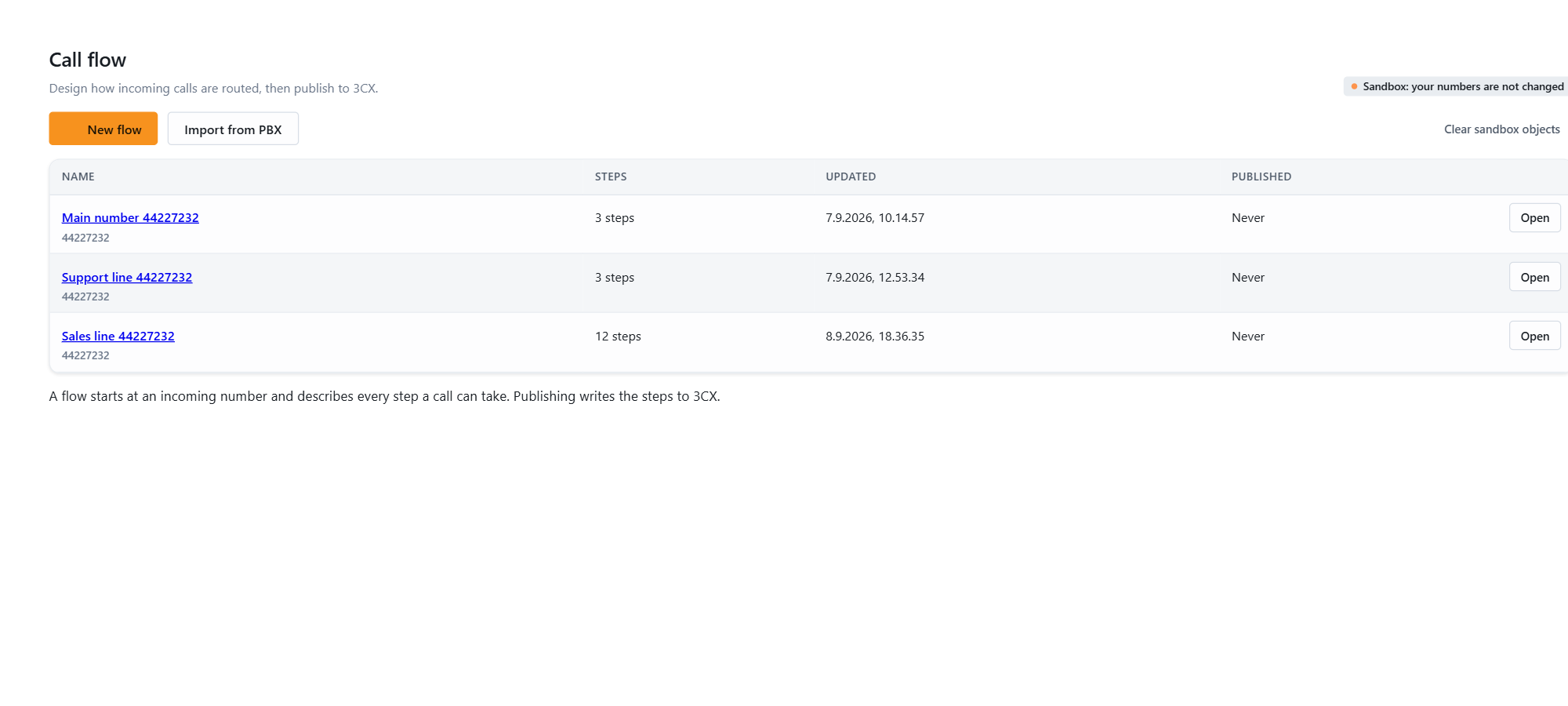
What a call flow is
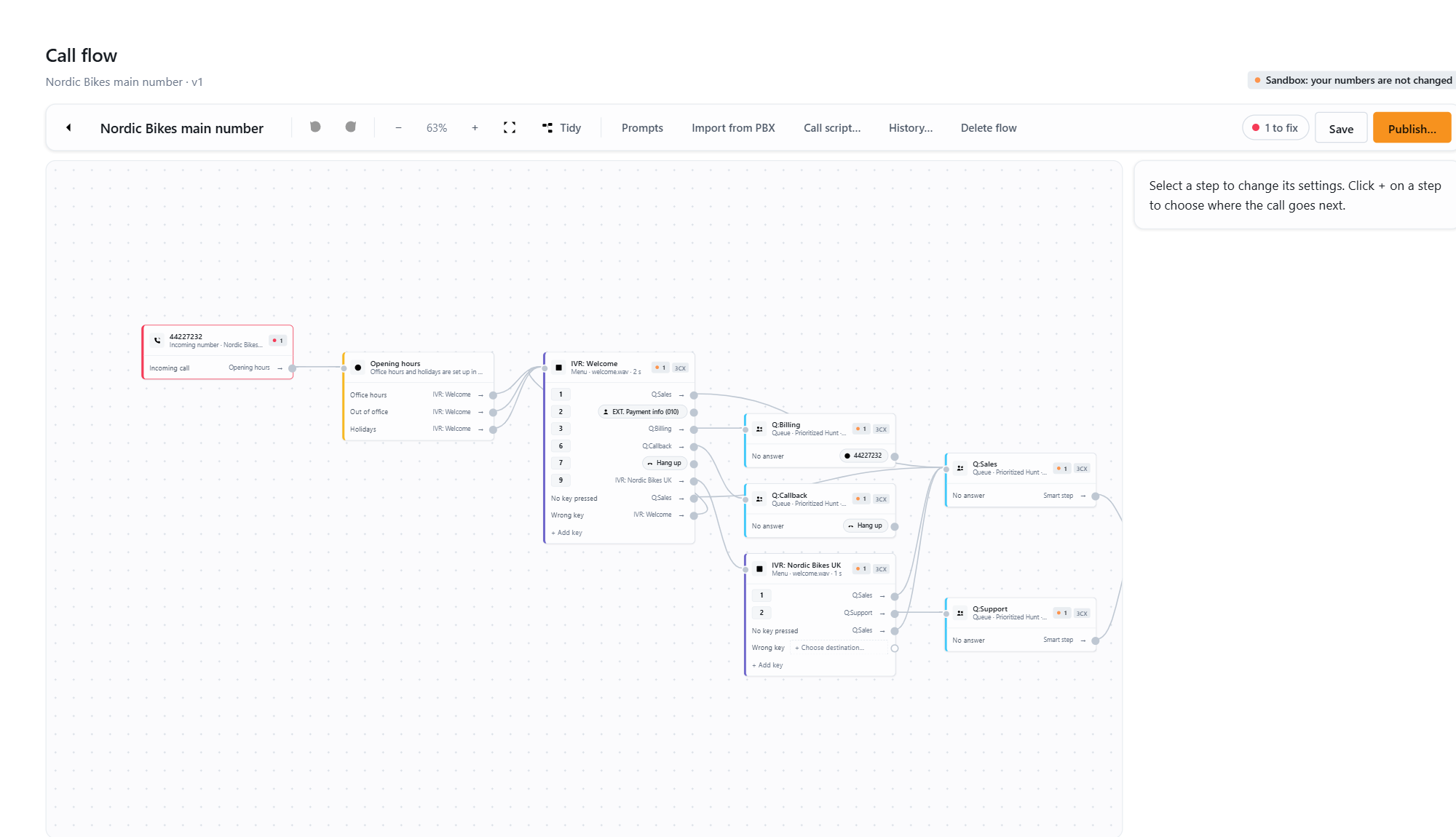
A call flow is a chain of steps:
- Steps are the boxes: an Incoming number, Opening hours, a Menu, a Queue, a Ring group, a Smart step, or a destination such as an Extension, a Voicemail, an External number or End call.
- Ports are the outputs of a step. A menu has one per key plus No key pressed and Wrong key. Opening hours has Office hours, Out of office and Holidays. A queue has No answer.
- Arrows connect a port to the next step.
Every call starts at an incoming number and follows the arrows until it reaches a destination.
From drawing to live calls
- Build the flow and save it. Nothing on 3CX changes.
- Test it in the sandbox. The designer creates the menus and queues in a reserved number range on your 3CX and leaves your live numbers alone. Dial the sandbox number from a desk phone and listen.
- Publish live. The designer shows exactly what it is about to change, writes it, and switches your number over as the last step.
- Undo if needed. Every live publish keeps a copy of the routing it replaced. One click puts it back.
See Testing safely: sandbox and live, Publishing a call flow and Undo a publish and history.
Two ways to run a flow
| Native objects | Call script | |
|---|---|---|
| What gets created on 3CX | Real 3CX menus (receptionists), queues, ring groups and inbound rule changes | One call script plus a flow.json file |
| Visible in the 3CX Admin Console | Yes, as normal objects | As one call script |
| Changing the flow | Publish again; the designer updates the objects | Deploy again; only flow.json is replaced |
| Smart steps (caller-ID check, PIN code, lookup) | Compiled into a small script per step | Built in |
| Needs | Any supported 3CX | 3CX V20 Update 5 or newer, on-premise or self-hosted |
Most customers use native objects. The call script is for customers who already work with 3CX call scripts, need the extra logic, or want the whole flow in one file. See Running a flow as a call script.
What the designer can reuse
Existing queues, ring groups and menus can be added to a flow as they are. They carry a 3CX tag on the card. The designer routes calls to them but does not change their settings unless you switch on Let the designer change this 3CX object in the step settings. Existing inbound rules are always reused: the designer changes where they point, it never creates or deletes a rule.
What it cannot do
- Edit trunks, extensions or users.
- Edit office hours or holidays. They stay in 3CX; the designer only branches on them. Holidays are managed in the separate Holiday Manager module.
- Draw every 3CX setting. When you import the current routing, anything the designer cannot draw is listed under “Some 3CX settings could not be drawn”.
Who can use it
The Call flow module must be part of your JEDWare license, and live publishing is switched on per customer by JEDWare. Inside your company the module is for administrators. See Who can use the Call Flow Designer.
Next: Building a call flow.